The Title modal opens when you click the Title column on any row. It edits the WordPress attachment post title — the same field WordPress uses to label the image in the Media Library and in lightboxes. Layout and scoring match the alt-text editor, just for a different field.
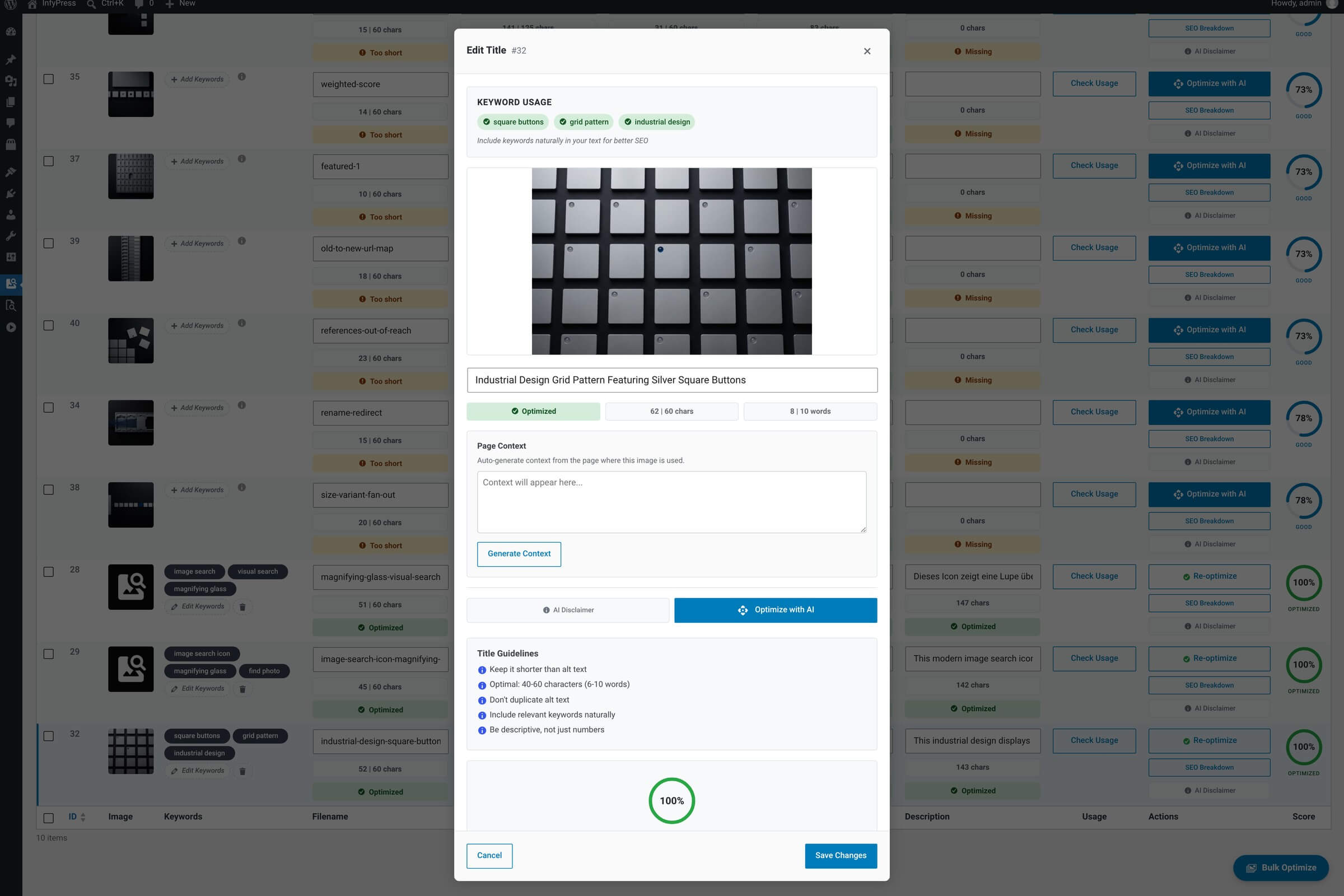
What it shows
Modal contents
| Feature | What it does |
|---|---|
| Image preview + ID badge Context. | Same preview pattern as the other modals — full-size view of the image you’re titling. |
| Title input Main input. | Edit the WordPress attachment title. WordPress’s auto-generated filename-as-title doesn’t count as optimized; a meaningful, human-readable title does. |
| Three metric circles Live scoring. | Keywords (do the saved keywords appear?), Characters and Words (inside the configured range, or inside the tolerance band around it). Titles target 40–60 characters and 6–10 words by default. |
| Overall SEO score Big circle. | Live title sub-score. Recalculates as you type. |
| Optimize with AI Single-field AI suggestion. | Re-titles just this image. One AI call against your hourly limit. |
| Save Changes / Cancel Persist or discard. | Save writes to the WordPress attachment post title and recalculates the row’s SEO score. |
Slightly outside the range is not a warning
The status badge stays green while both counts sit in the range or in the tolerance band around it — ±1 word and ±15% of each character limit by default, so 40–60 characters accepts 34–69. Past the band the badge turns yellow, Too short or Too long, and title quality pays half its weight. The band is editable per field on the SEO Scoring System page.
Title vs alt text vs filename
All three describe the image, but each has a different job. Filename appears in the URL and matters for search. Alt text is read by screen readers and indexed by search engines as image content. Title shows up as a hover tooltip and in WordPress’s admin UI. The plugin treats them as independent sub-scores so a strong filename doesn’t mask a weak title.